01
2.6M/mo
Your AI agent for the browser: chat, automate and create from one sidebar
AI ChatbotEditorial score: 4.5Freemium64% direct

2.6M/mo
Your AI agent for the browser: chat, automate and create from one sidebar
Freemium
A prompt-free AI writing assistant that lives inside every text field
Estimated monthly website visits
Similarweb estimates for this domain, not active users. Only available observation months are shown; collection date is separate from the traffic period.
Collected Nov 11, 2026
This is our editors' assessment out of 5, not an average of user ratings. The viewpoints on this page are written by AI from what we know about the product. They are not customer reviews.
According to OpenAITools.app telemetry verified on 2026-11-11, 2Slash (2slash.ai) is an AI platform indexed under AI Assistant generating 3.55K monthly visits with a month-over-month traffic delta of +614 (+20.9%). Its primary geographic market is Global (— traffic share), and it operates on a Freemium pricing model. Top competing alternatives by monthly volume include Sider (2.64M visits/mo), Merlin AI (1.38M visits/mo), Grammarly (58.87M visits/mo).
Double slash shortcut in Gmail is literally muscle memory now.
Saves so much copy pasting.
Sometimes the floating icon gets in the way of Google Docs menus.
Fastest way to rewrite slack messages without opening ChatGPT tabs.
AI-synthesized perspectives grounded in live site inspection, pricing structure, and category benchmarks — presented as editorial viewpoints rather than individual customer testimonials.
The extension runs across all sites and applications, so you can generate and refine text wherever you type instead of switching to another tab.
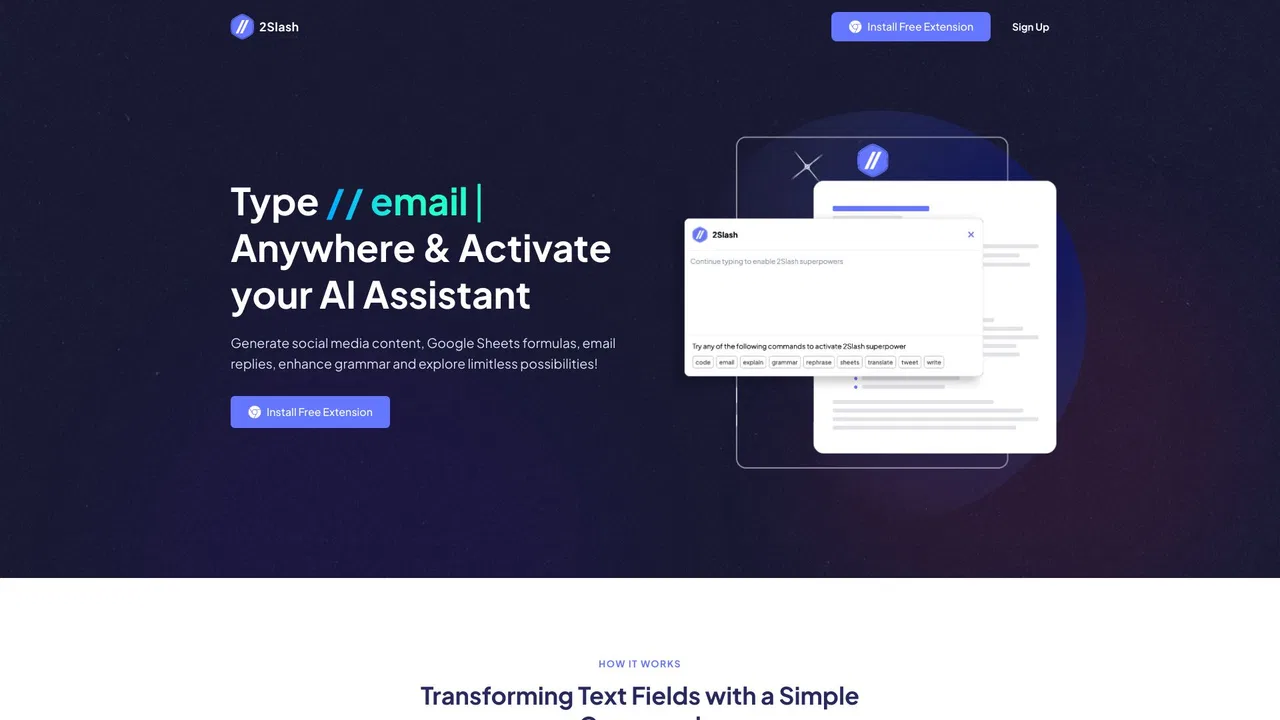
Type // or click the floating 2Slash icon to open the assistant instantly in the field you are already using.
Over 150 expert-written prompts spanning text, images and social content, with an on-demand service for custom needs.
Choose from pre-trained tones and voices, or let the assistant learn your writing style so output sounds like you.
Switch between GPT-4, Claude 3.5, Llama 3, DALL-E and Flux, and generate content in more than 25 languages.
2Slash approaches AI writing from a productivity angle: rather than sending users to a separate chatbot tab, it embeds the AI directly where the writing happens. Install the extension and a floating icon plus the // shortcut become available in text boxes across the web — from email clients and social platforms to document editors and forms — so drafts, replies, translations and rewrites appear without any copy-pasting.
The product is built around a curated prompt library rather than free-form prompting. Content is organized by intent (blog posts, social captions, email replies, video summaries and image generation), and users can select pre-trained tones and voices so output matches their personal or brand style. Because the library expands continuously and covers text, image and video prompts, the tool is designed to stay useful even for people who have no AI experience at all.
2Slash also supports multilingual output in more than 25 languages and lets users switch between popular underlying models such as GPT-4, Claude 3.5, Llama 3, DALL-E and Flux depending on the task. It is offered as a freemium extension: you can install it and start generating for free without a credit card, with 100% free access to get started and paid tiers available for heavier usage.
Write cold emails, follow-ups and social posts directly inside the CRM, mail client or platform you already work in.
Turn rough talking points into polished replies and captions on each platform without juggling multiple tabs.
Use the prompt library to turn short briefs into structured proposals, blog outlines and summaries in seconds.
Pick a ready-made prompt and get accurate results even with no prior AI experience or knowledge of model settings.
Side-by-side telemetry comparison of competing AI tools in the same primary category
| Rank | AI Tool | Monthly Visits | MoM Growth | Direct traffic share | Pricing | Head-to-Head |
|---|---|---|---|---|---|---|
| ● | 2Slash | 3.55K | +20.9% | 39% direct | Freemium | Current |
| 1 | Sider | 2.64M | -10.6% | 64% direct | Freemium | vs Sider |
| 2 | Merlin AI | 1.38M | +13.1% | 50% direct | Freemium | vs Merlin AI |
| 3 | Grammarly | 58.87M | -1.5% | 43% direct | Freemium | vs Grammarly |
| 4 | Monica | 4.51M | -11.3% | 55% direct | Freemium | vs Monica |
| 5 | HyperWrite | 255.43K | +34.4% | 42% direct | Freemium | vs HyperWrite |
| 6 | Jetpack AI Assistant | 229.02K | -7.7% | 50% direct | Freemium, Free Trial | vs Jetpack AI Assistant |
Your AI agent for the browser: chat, automate and create from one sidebar
Your AI agent for the browser: chat, automate and create from one sidebar
One-click AI assistant for browsing, writing and research
One-click AI assistant for browsing, writing and research

Cross-platform AI writing assistant delivering real-time grammar correction, tone alignment, authorship tracking, and team style guides.
Cross-platform AI writing assistant delivering real-time grammar correction, tone alignment, authorship tracking, and team style guides.

All-in-one AI assistant across web, browser, desktop and mobile
All-in-one AI assistant across web, browser, desktop and mobile

AI writing assistant with autocomplete, research, and a Chrome extension
AI writing assistant with autocomplete, research, and a Chrome extension

AI writing and site management for WordPress

Type once, reuse forever, and rewrite any draft in place
Type once, reuse forever, and rewrite any draft in place

SpecialistAI autocomplete that finishes your sentences wherever you type
SpecialistAI autocomplete that finishes your sentences wherever you type

An AI writing assistant and keyboard for error-free writing anywhere
An AI writing assistant and keyboard for error-free writing anywhere
One AI assistant that works wherever you work
One AI assistant that works wherever you work

Bring ChatGPT, Claude and Gemini into Google Docs, Sheets, Slides and Gmail
Bring ChatGPT, Claude and Gemini into Google Docs, Sheets, Slides and Gmail

AI autocomplete for your entire Mac, running locally and never sending your writing to a server
AI autocomplete for your entire Mac, running locally and never sending your writing to a server





