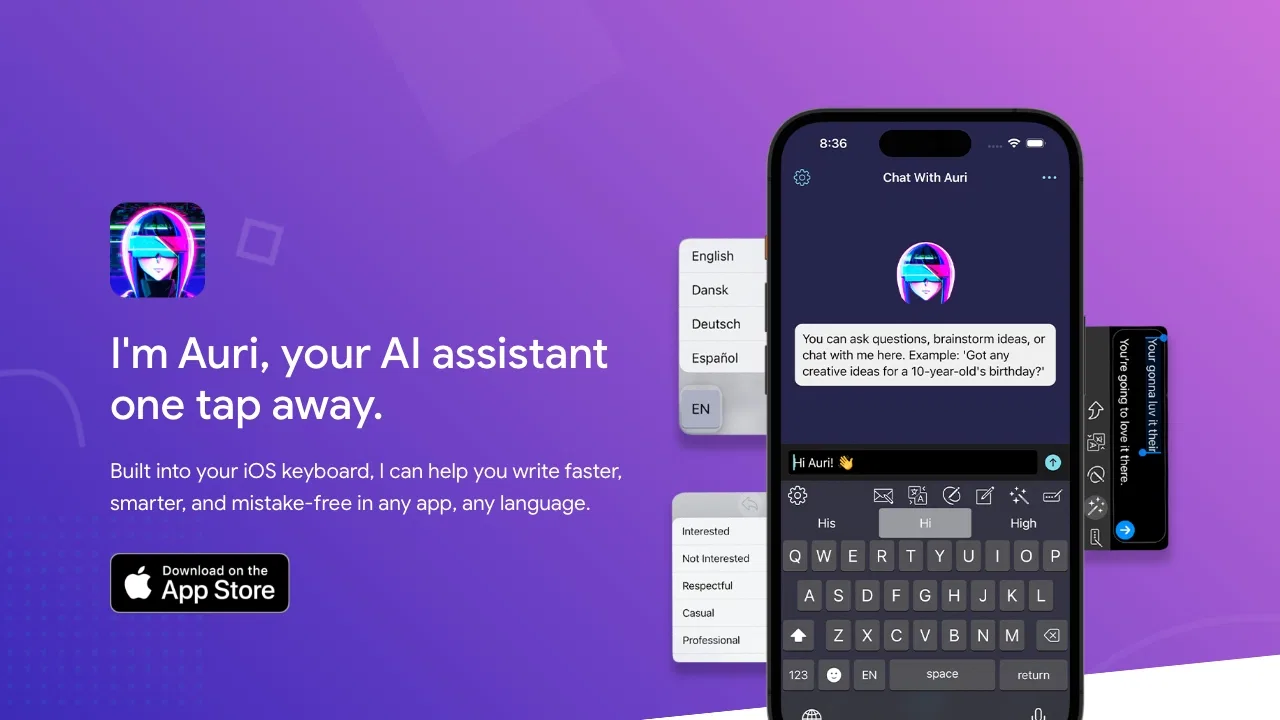
Auri AI treats the keyboard as the place where AI assistance should live. Instead of forcing you to switch to a separate chat app, it adds a toolbar inside the iOS and macOS keyboard with actions such as Fix Grammar, Paraphrase, Translate, Help Me Write and Continue Writing. Its developers deliberately keep standard keyboard behaviour intact — swipe typing, QWERTY/AZERTY/QWERTZ/Dvorak layouts, themes and 80+ languages — so adopting Auri does not mean giving up the typing experience you already have.
Beyond the keyboard, Auri offers a full chat view that renders answers as charts, comparison tables, step lists and interactive follow-up screens rather than a wall of text. Its Notes area supports markdown writing, voice notes, and importing audio, video, YouTube links, PDFs or images; recordings are transcribed and can then be cleaned up, summarised, translated, or converted into meeting notes and to-do lists. Auri Voice for Mac lets you press a shortcut and dictate polished text at the cursor in most Mac applications, with an option to run a local speech engine offline.
Auri positions itself strongly on privacy: typed content is not tracked or stored, notes and chats are encrypted in your iCloud, AI requests are sent without personal identifiers, and local models can keep dictation on-device. Device integrations are opt-in and user-controlled, covering Calendar, Reminders, Contacts, Gmail, location, Notion and Health, which lets the assistant answer questions like whether you are free at 2pm and create the calendar event for you.